A documentation workflow for solo private practice
Most solo clinicians don’t have a documentation problem. They have a timing problem. The notes get written — eventually — but in scattered bursts: a few between sessions, a backlog finished on Sunday night, a couple reconstructed from memory three days later. A reliable documentation workflow for private practice isn’t about writing faster in the moment; it’s about building a repeatable loop that runs the same way every day, so a note is never more than one short step from done. When you’re the entire administrative department, the workflow has to carry the load that an institution’s systems otherwise would.
The loop: from “see you next week” to a signed note
Think of documentation as a fixed sequence rather than a chore you fit in wherever it lands. Here is a loop that holds up under a full caseload:
- Close the session cleanly. Before the next client, capture a few anchors — presenting concern, one or two interventions used, risk status, the plan. This is the difference between a note you reconstruct and one you finish.
- Draft while it’s warm. Generate or write the structured draft (SOAP, DAP, or BIRP) the same day, ideally the same hour. Memory decays fast, and the clinical specifics that make a note useful are the first to go.
- Review and edit. Read the draft as the clinician you are. Correct anything imprecise, add what only you know, remove anything that doesn’t belong. The draft is a starting point — you are the author.
- Finalize and sign. Lock it. A signed note is closed business; an unsigned one is open cognitive load that follows you home.
The order matters more than the speed. A clinician who runs this loop in fifteen minutes and a clinician who runs it in five are both fine. The one who skips step one and tries to do steps two through four on Friday for the whole week is the one who burns out.
Why a same-day documentation workflow beats the Sunday backlog
There’s a real tradeoff between documenting in-session and documenting after the fact, and it’s worth being honest about it — I’ve written about that in-session versus end-of-day question separately. But wherever you land on when within the day, the case for finishing within the day is strong:
- Accuracy. The note reflects what happened, not what you think happened several days later.
- Defensibility. Contemporaneous notes are what boards and payers tend to expect. Documentation rules vary by state, license, and payer, and none of this is legal advice — confirm specifics with your licensing board or attorney. Still, “written promptly” is a widely shared expectation.
- Lower overhead. A backlog isn’t just unwritten notes; it’s the background hum of knowing they’re unwritten. Closing the loop daily removes that weight.
A note you finish today is a clinical record. A note you finish next week is a reconstruction that happens to be in the right file.
Batch the parts that batch well
Not everything benefits from being done one at a time. The trick is knowing which steps to batch and which to keep tight to the session.
Keep tight to the session: capturing anchors and generating the draft. These depend on fresh memory and should happen as close to the hour as possible.
Batch comfortably: review, light editing, and signing. Many clinicians find a single focused block — the last twenty minutes of the day, or a deliberate gap mid-afternoon — works better than constant context-switching between sessions. You move through several warm drafts in one editing mindset instead of restarting four separate times.
The anti-pattern is batching the drafting into a weekly marathon. That’s where detail evaporates and notes start to sound interchangeable.
Make templates and dictation do the boring part
Two tools cut the time-to-draft without cutting the thinking:
- Templates. A consistent SOAP/DAP/BIRP structure means you’re never staring at a blank page deciding what goes where. The format prompts you; you supply the clinical substance.
- Dictation or recording. Speaking a session summary is often faster than typing it, and it captures nuance you’d otherwise compress away. On-device transcription turns that into structured text you then shape into a note.
This is where a tool like CouchNotes fits the loop: you record or dictate a session on your Mac, it transcribes on-device, and you get a structured SOAP/DAP/BIRP draft to review, edit, and sign. The audio can auto-delete after you finalize, per your setting. Nothing is uploaded — there’s no cloud, no account, no telemetry — which sidesteps a whole category of vendor-risk questions, because the recording never leaves the machine in the first place. On-device processing doesn’t replace your own due diligence around privacy and recordkeeping rules, but it does change the question you’re starting from. The draft is a first pass, not a finished note — you remain the author of record, always. If shaving minutes is the goal, there’s more on writing notes faster that complements this.
Keep sessions organized so the loop stays honest
A workflow only works if you can see its state. The hardest part of solo documentation isn’t writing any single note — it’s knowing, at a glance, which notes are still open.
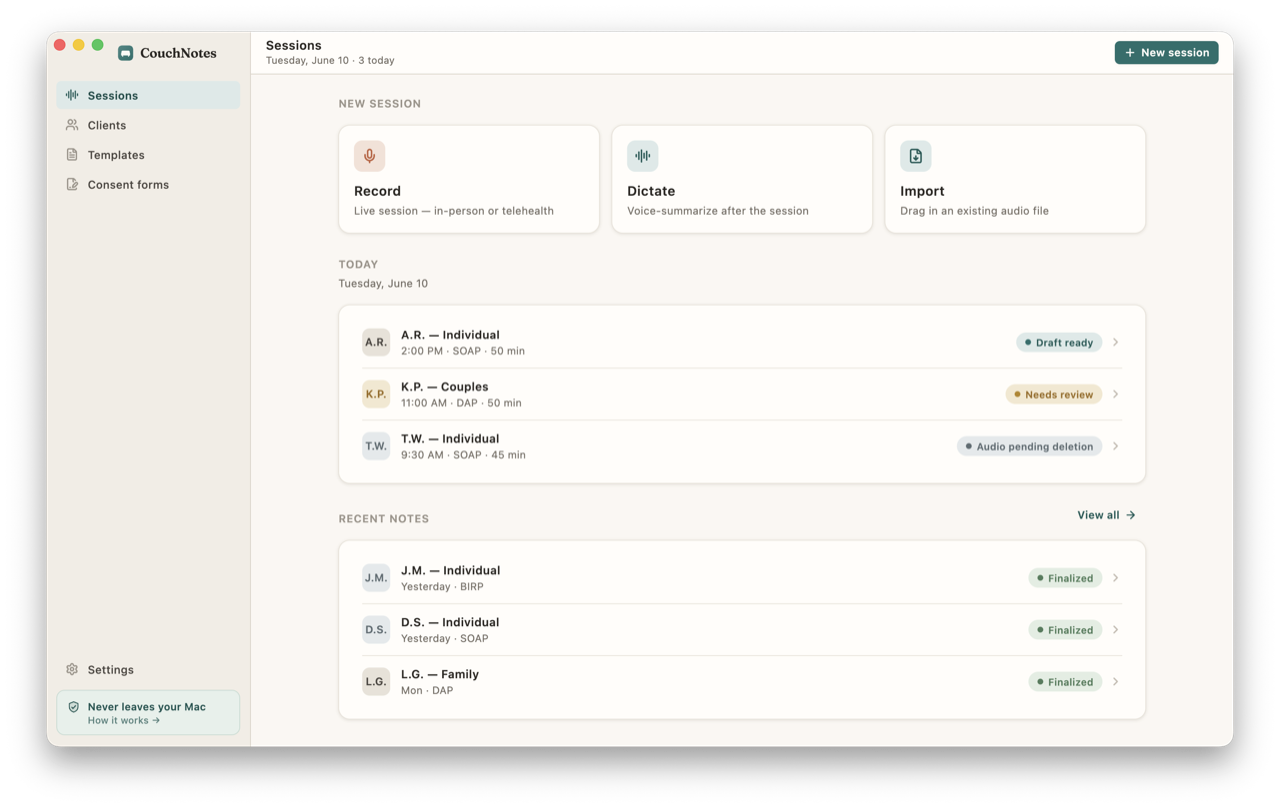
A single sessions list — past sessions in one view, each marked draft or finalized — turns “do I have anything outstanding?” from a nagging worry into a quick scan. When the list is clean, you’re done. When it isn’t, you know exactly what’s left and can run the loop on the stragglers before they age into reconstructions. Keeping that list local to one machine also means your day’s clinical work lives in one place you control, not spread across a server you don’t. Clients stay identified by initials or a pseudonym, so even the local record holds no more than it needs to.
| Step | When | Batch? |
|---|---|---|
| Capture anchors | Between sessions | No |
| Generate draft | Same hour | No |
| Review and edit | End-of-day block | Yes |
| Finalize and sign | End-of-day block | Yes |
The clinicians who stay current aren’t the fastest typists or the ones with the most willpower. They’re the ones who turned documentation into a loop boring enough to run on autopilot — same steps, same order, same day, every day. Build the loop once, and the backlog never gets a foothold. There’s a quiet reward in solo practice run this way: when the last client leaves, the records are already closed, and the evening is actually yours.