Local speech-to-text on a Mac: how Whisper-class models work offline
A modern Mac can now turn an hour of recorded speech into readable text without sending a single byte to a server. That is the quiet shift behind whisper local transcription mac workflows: open speech-to-text models that once needed a data center now run on the machine in front of you. For a therapist, the appeal is concrete. The audio of a session is among the most sensitive recordings a person will ever make, and the safest place for it is the device you control. Understanding how these models work — and where they fall short — matters before you trust one with clinical audio.
What “Whisper-class” actually means
Whisper is an open speech recognition model family originally released by OpenAI, trained on a large volume of multilingual audio. “Whisper-class” is shorthand for the broader category it kicked off: open-weight transcription models you can download and run yourself, rather than calling a cloud API. Several independent projects now optimize these models specifically to run fast on Apple hardware.
The mechanics are worth knowing in plain terms. The model does not “hear” words the way you do. It converts audio into a spectrogram — a numerical picture of which frequencies are present over time — then predicts the most likely sequence of text tokens that produced that sound. It is pattern completion over acoustic data, not comprehension, and that distinction explains both its strengths and its predictable failures.
These models come in sizes, usually labeled something like tiny, base, small, medium, and large. Smaller models are faster and use less memory but make more mistakes; larger models are more accurate but slower and heavier. On recent Apple silicon, even the larger models run at usable speeds because the work can be pushed onto the GPU and the Neural Engine rather than the CPU alone.
Why whisper local transcription mac setups run at all
Two things changed. First, the models themselves got smaller and more efficient through techniques like quantization, which shrinks the numbers the model uses so it fits in memory and runs faster with little loss in quality. Second, Apple silicon was built for exactly this kind of math. The unified memory architecture lets the CPU, GPU, and Neural Engine share the same memory pool, so large model weights do not have to be shuffled around constantly.
The practical result: a session recorded on your Mac can be transcribed on your Mac. No upload, no third-party server holding the audio, no API key for a vendor who logs your requests. We have written more about the full local pipeline in how on-device AI transcription works on a Mac, and about the specific hardware doing the heavy lifting in the Apple Silicon Neural Engine and transcription.
For clinicians, the privacy posture is the part worth dwelling on. On-device processing does not make a tool “HIPAA compliant” on its own — that depends on your whole workflow, your devices, and your agreements, and the specifics vary, so treat this as background rather than legal advice. What local processing does is change the question. If the audio never leaves your Mac, there is no cloud copy to subpoena, breach, or quietly retain — a different situation from any tool that uploads first and processes elsewhere, regardless of its privacy policy.
The honest limits with clinical audio
Therapy audio is hard audio. It is not a clean studio podcast, and a local model will struggle with the same things a cloud model struggles with. Being honest about this up front saves you frustration later.
- Accents and dialects. Models perform best on the speech patterns most represented in their training data. A client whose first language is not English, or who has a strong regional accent, will see more errors.
- Crosstalk and overlap. When two people speak at once — common in couples or family work, or in an emotional moment — the model has to guess. Overlapping speech is where transcripts degrade fastest.
- Clinical and pharmacological jargon. Drug names, diagnostic terms, and acronyms are underrepresented in general training data. Expect terms like “sertraline” or “EMDR” to come out mangled often enough to notice.
- Audio conditions. Soft-spoken clients, a fan in the room, a phone on speaker, or a teletherapy connection that compresses audio all reduce accuracy.
- Confident errors. The model rarely flags uncertainty. It will produce a fluent, plausible sentence that is simply wrong — a substituted word, a dropped negation (“I do want to” becoming “I don’t want to”). These are the dangerous ones because they read cleanly.
| Condition | Typical accuracy |
|---|---|
| Clear single speaker, quiet room | Strong |
| Accented or rapid speech | Reduced |
| Overlapping speakers | Weakest |
| Clinical jargon and drug names | Frequently wrong |
None of this is a reason to avoid local transcription. It is a reason to use it the way it should be used.
The clinician verifies — always
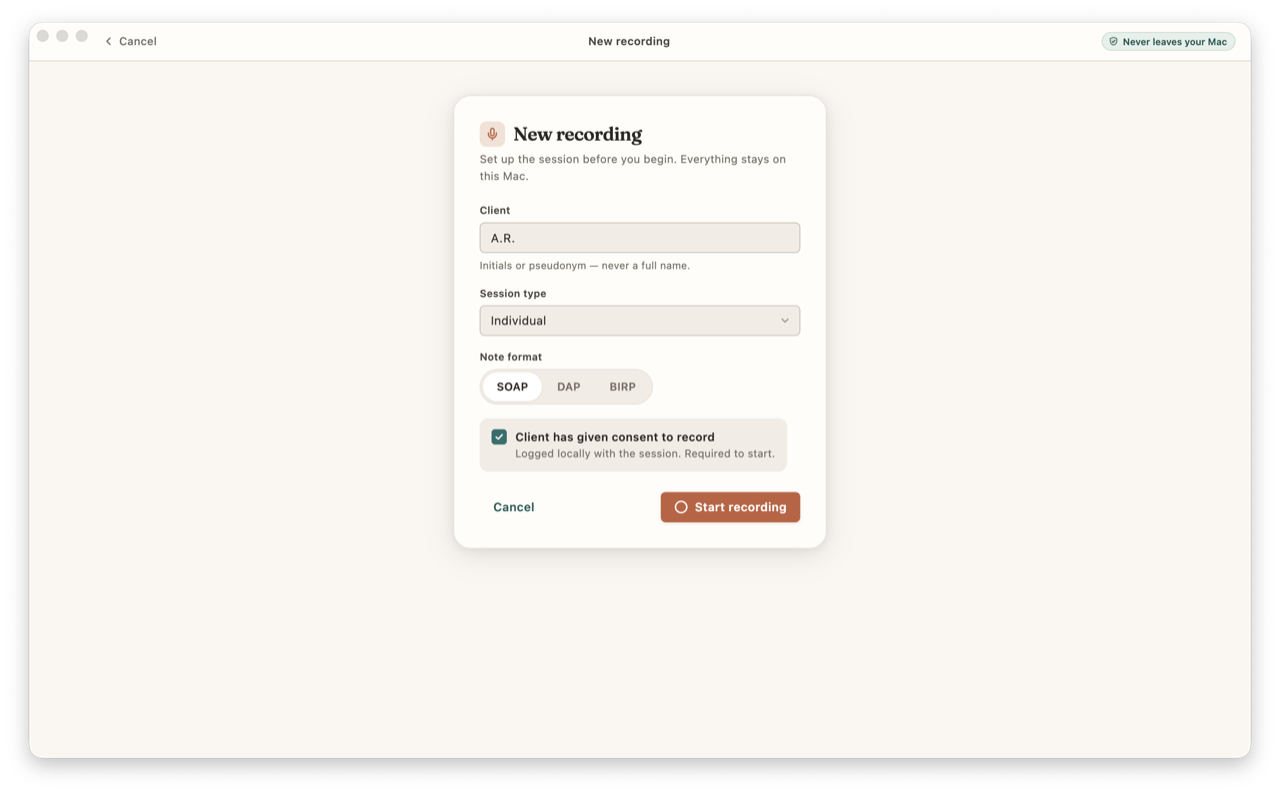
A transcript is raw material, not a record. Whatever the model produces, you read it against what you remember of the session and correct it. The same holds one layer up: any clinical note generated from that transcript — SOAP, DAP, or BIRP — is a draft. You review it, edit it, and sign it. The software does not author your notes; you do, and you remain the author of record. Tools like CouchNotes are built around that assumption rather than against it, which is why the transcript and the generated draft are both editable before anything is finalized.
A confident transcript is still a draft. The clinician’s review is what turns it into a record.
This is also where local processing and clinical responsibility line up. Because the audio stays on your machine, you can keep the recording long enough to verify the transcript, then delete it on your own schedule — CouchNotes can auto-delete the audio after you finalize, according to the setting you choose — rather than trusting a vendor’s retention policy. Verification and privacy stop being a trade-off.
The technology has genuinely arrived: a laptop can now do, privately and offline, what required a server and a network connection a few years ago. What has not changed is your role. The model produces a draft; you decide what is accurate, what belongs in the record, and what your client’s care requires. CouchNotes works entirely on your Mac — no cloud, no account, no telemetry, and a one-time license rather than a subscription — so the workflow stays under your control end to end. Used with that understanding, local speech-to-text is a quiet, useful tool that lets the most sensitive part of your work stay where it should: with you. Rules on recording, retention, and documentation vary by state, board, and payer, so confirm the specifics with yours — none of this is legal advice.