Software with no account: trust built into the architecture
There is a category of data breach that simply cannot happen to you: the breach of data nobody is holding. If a vendor never collects your client information, never asks you to create an account, and never routes your session audio through a server, then there is no central store to compromise, no credential database to leak, no honeypot for an attacker to target. This is the quiet logic behind no account software privacy — and it is a meaningfully different proposition from “we encrypt your data” or “we are SOC 2 certified.” Those are promises about how carefully a company guards what it has taken from you. A no-account model removes the question by removing the collection.
You can’t breach what you don’t collect
Most software for clinicians is built around an account. You sign up, the vendor provisions a record for you on their servers, and from that point forward your relationship is mediated by their infrastructure. Even when a tool is careful and well-intentioned, this architecture creates a standing liability. Your account exists somewhere. Your data, or pointers to it, lives in a database you don’t control. The vendor’s security is now your security, and their breach is now your breach — including the breaches that come not from hackers but from misconfigured buckets, departed employees, acquisition fire sales, or a subpoena served on the company rather than on you.
A no-account, no-server design inverts this. There is nothing to log into because there is no remote identity. There is no password to reset because there is no credential stored anywhere. The software runs on your machine, reads and writes files on your machine, and treats the network as optional. When session audio is transcribed and turned into a note draft entirely on your device, the most sensitive data your practice handles never travels anywhere it could be intercepted or retained by a third party.
This is the same principle, applied to the whole product, that I have written about elsewhere regarding the processing itself — see what on-device AI really means for why “local” has to mean local computation, not just local storage with a cloud round-trip in the middle.
Why no-account software privacy changes the compliance conversation
Clinicians are right to be skeptical when a vendor leads with “HIPAA compliant.” A certification label is necessary, but it is a floor, not a ceiling, and it describes a set of administrative and technical safeguards a company applies to data it processes. The more interesting question is what happens when there is no business associate in the chain at all — when no outside party ever touches the protected health information because it never leaves the room where care happens.
That does not relieve you of your own obligations, and no software can make those obligations vanish. But a no-account, on-device design does shrink the attack surface and the list of entities you have to trust. I unpack why the certification label alone is insufficient in HIPAA compliant is not enough; the short version is that on-device processing changes who holds the risk rather than just promising to hold it carefully. None of this is legal advice, and what your particular board, state, and payer require will vary — confirm the specifics with yours.
The honest part: the responsibility shifts to you
Here is where most vendor pages go quiet, and where I’d rather be straight with you. Removing the server doesn’t make the responsibility disappear. It relocates it — to your desk.
When a cloud service holds your data, it also handles backups, redundancy, device loss, and recovery. Pull that out, and those jobs become yours. A no-account model trades vendor risk for self-reliance, and self-reliance only works if you actually do the work. Concretely, that means:
- Backups are on you. If your notes and transcripts live only on one Mac and that Mac dies, is stolen, or has its drive corrupted, there is no “log in from another computer” fallback. You need a real backup routine — Time Machine, an encrypted external drive, or another local strategy you trust and have tested by actually restoring from it once.
- Device security is the perimeter. With no server to harden, your laptop is the system. That means FileVault (full-disk encryption) on, a strong login password, automatic screen lock, and physical care of the machine — especially if you ever see clients outside a controlled office.
- No remote wipe, no vendor recovery. The flip side of “no one else can reach your data” is that no one else can help you get it back. That is the deal.
A no-account architecture doesn’t eliminate trust. It moves trust from a company’s data center to your own habits — which, for a clinician already custodian of paper charts and a locked file cabinet, is familiar territory.
The honest framing matters because the trade-off is only worth it if you understand what you’re accepting. Some clinicians will decide that vendor-managed backups and cross-device sync are worth the broader exposure, and that is a legitimate choice. Others — particularly solo and small private practices who already think of confidentiality as a personal duty rather than something to outsource — will find that keeping everything local fits how they already work.
| Question | Account/cloud model | No-account/local model |
|---|---|---|
| Where does the data live? | Vendor servers | Your device |
| Who can be breached? | You and the vendor | Your device only |
| Who handles backup/recovery? | Vendor (mostly) | You |
| What happens if the vendor folds? | Migration scramble | Nothing changes |
Where CouchNotes sits in this
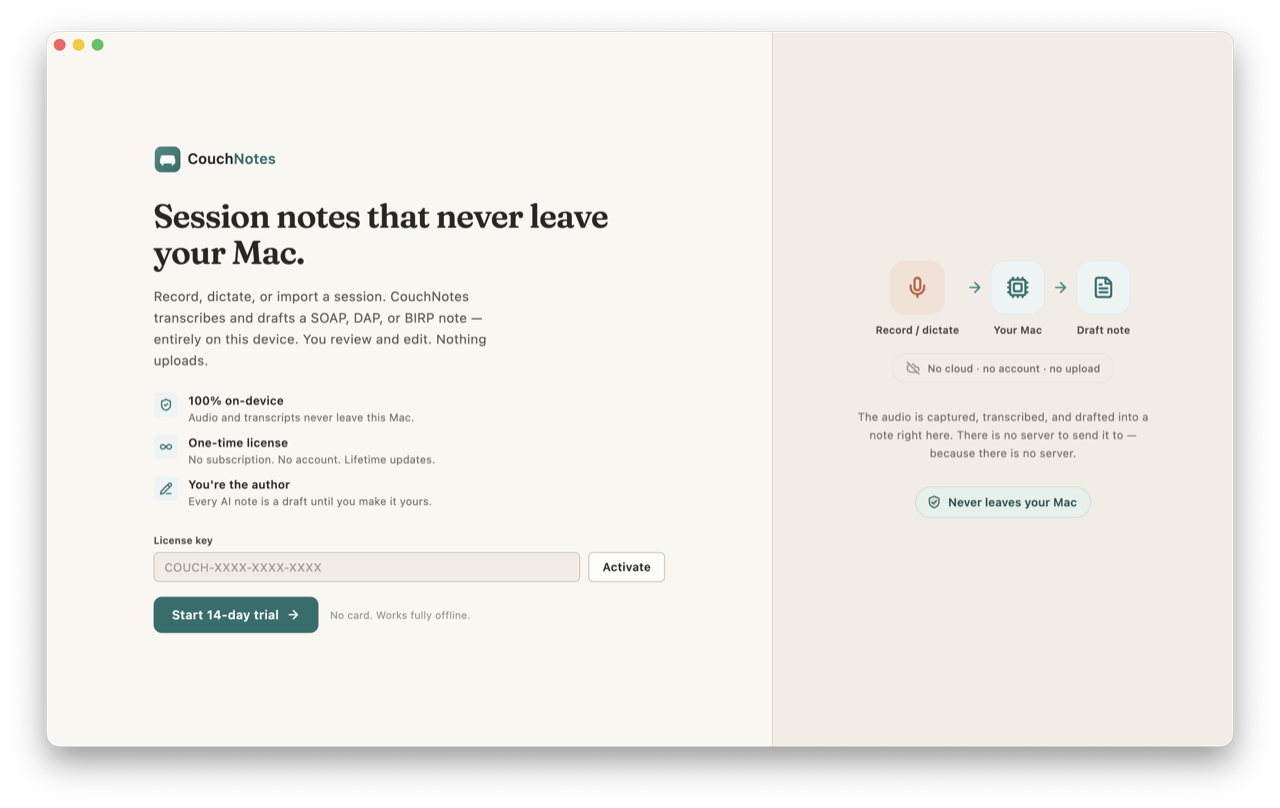
CouchNotes is built on exactly this premise: there is no account to create and no server to sign into. It records or accepts dictation of a session, transcribes it on-device, and generates a SOAP, DAP, or BIRP draft that you review, edit, and sign — you remain the author of record, always. Audio can auto-delete after you finalize, per your setting. There is no cloud round-trip, no account, and no telemetry, and the license is a one-time purchase rather than a subscription tied to a server you have to keep logging into. Because none of that touches a cloud, the backup-and-device-security responsibility described above is genuinely yours, and I’d rather say so plainly than pretend the trade-off doesn’t exist.
Trust built into architecture is sturdier than trust promised in a policy, because architecture doesn’t change its mind during an acquisition or quietly update its terms of service. But architecture is only half of it. The other half is the routine you keep at your own desk — the backup you actually run, the disk you actually encrypt. Recordkeeping and retention rules vary by state, board, and payer, and none of this is legal advice, so confirm the specifics with yours. The point of a no-account design isn’t that it asks nothing of you. It’s that it asks the right things of the right person: you, the clinician who was already the custodian of this trust to begin with, and who is still the one reading the draft, correcting it, and putting your name to the final note.